Overhead
What is above you, right now.
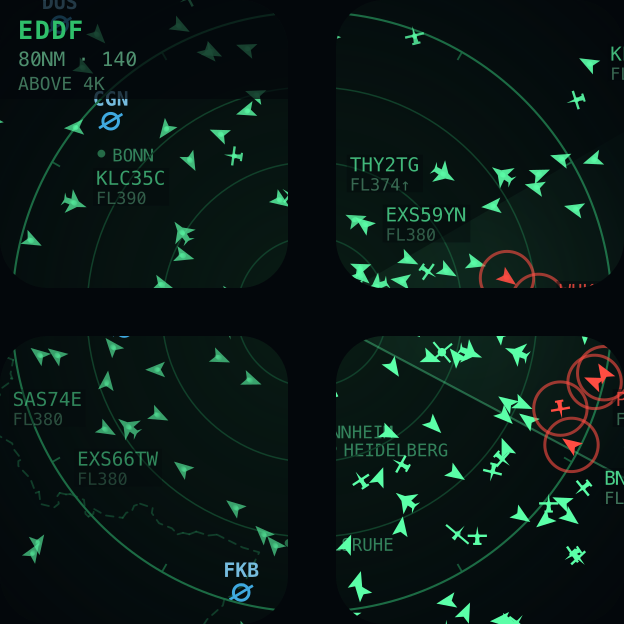
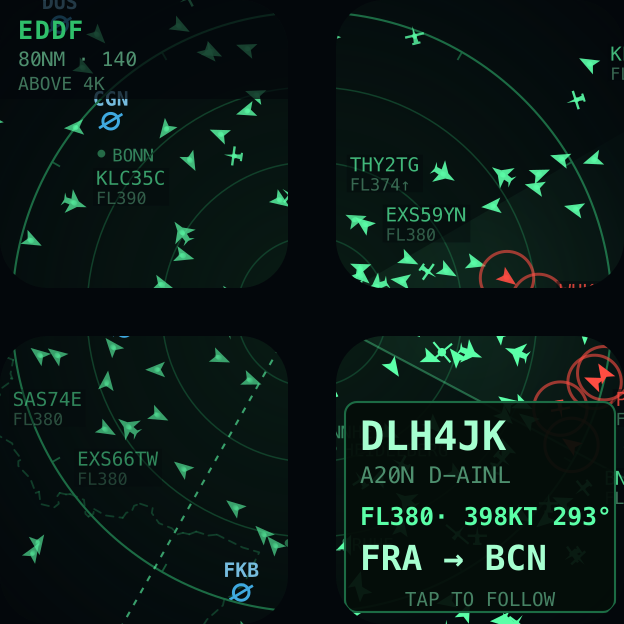
Overhead turns a block of your Stream Deck into a radar scope showing the aircraft that are actually in the sky — over any airport in the world, or over you. Not a picture of a radar: one continuous scope stretched across the keys you give it, with the bezels acting as part of the instrument.
Every contact is a real aeroplane
Positions come from a network of volunteer ADS-B receivers, so what you are looking at is the traffic that is genuinely up there — at the level and heading it is really flying. Coastlines, borders, cities and airfields are drawn underneath in phosphor green, and the rings run off the edges of a wide deck exactly as they do on a real scope. The range is a ring you can read, not the edge of the glass.
Tap a key to ask what that is
Every key is a piece of sky. Tap one and it steps through the aircraft drawn on it, one press at a time, then back to a clear picture. The details take over a whole key — the one furthest from whatever you selected, so the readout never covers the aeroplane it is describing.
Callsign, aircraft type, registration, flight level, ground speed and heading. When the flight has a published route you also get where it came from and where it is going, with a dotted great circle running out to the destination.
A scope per page
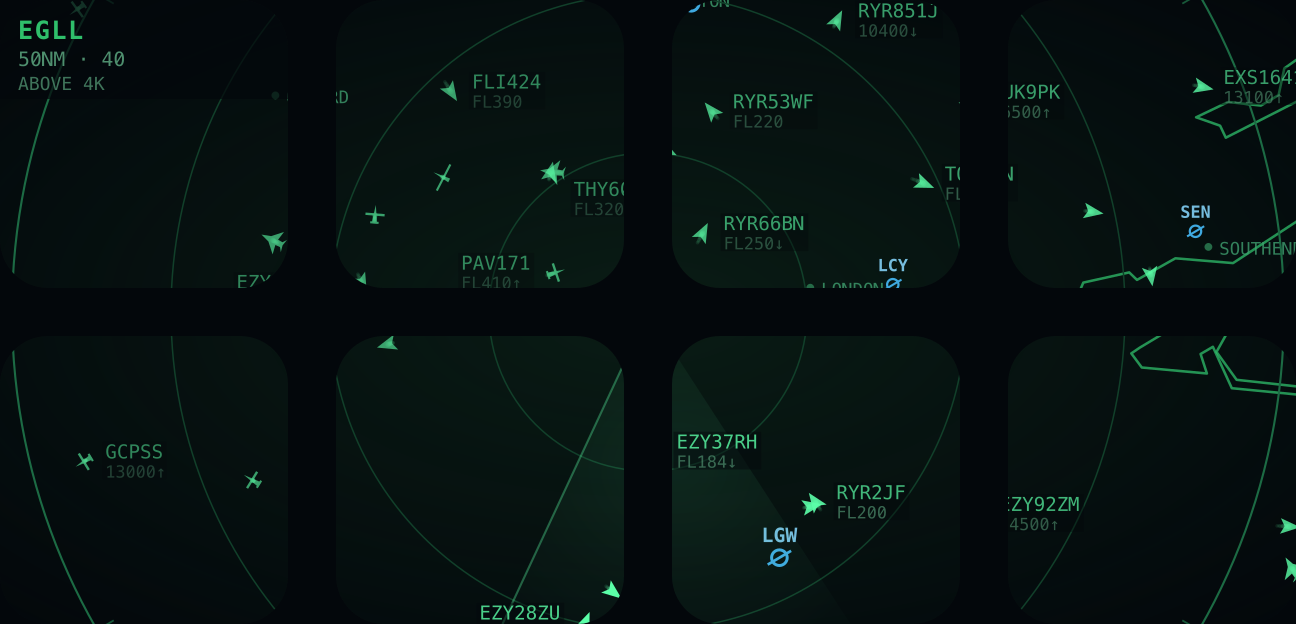
Put a scope on one page pointed at Frankfurt and another on the next page pointed at Heathrow. Each keeps its own place, range, size and sweep, and switching pages re-points the scope — there is nothing else to set up, because a page's keys carry that page's settings.
Going back to a page puts its traffic straight back, so moving between scopes is instant rather than a wait for the next poll. And it costs the feeds nothing: only the page you are looking at is on screen, so only one scope is ever fetching, however many you have configured.
Or ride along with it
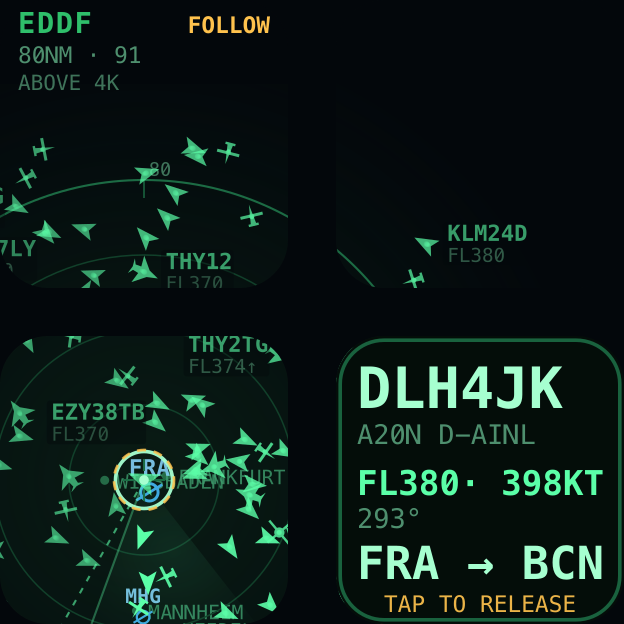
The details block is also a button. Press that key and the scope anchors to the aircraft: the map slides underneath while it flies and only that one aeroplane is tracked, which asks less of the feed than watching an area does. Press it again and the scope drops straight back to where you started.
It is pinned to the middle of the key beside the block, not to the middle of the scope. The centre of a two-by-two is the exact point where four keys meet, which is moulding — so centring the aircraft you asked to watch would put it in the one place the hardware cannot draw.
Sized for a key, not for a screenshot
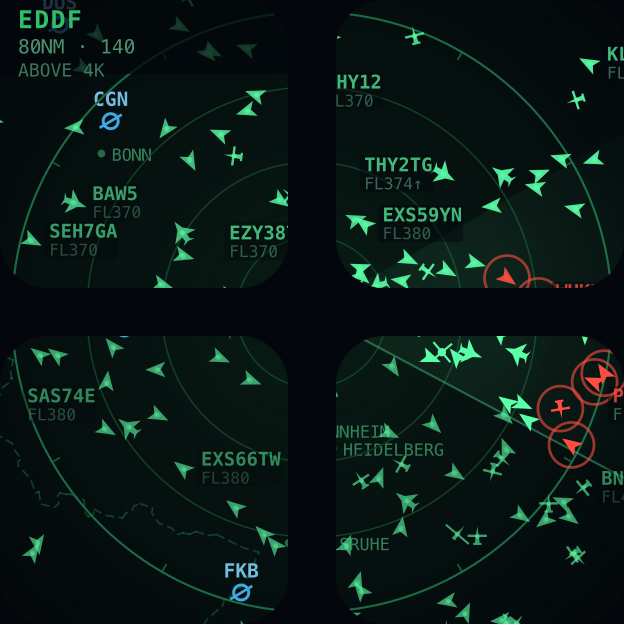
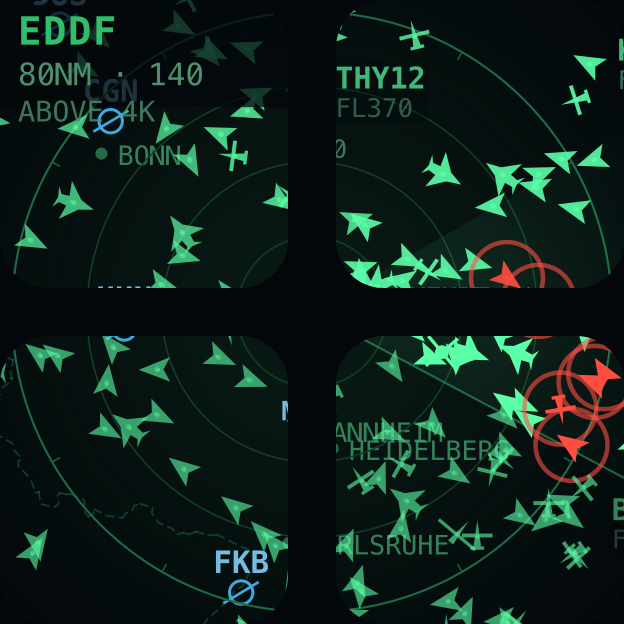
A Stream Deck key is about two centimetres across. Type that looks right on a monitor is unreadable on the hardware, so the lettering and the aircraft are drawn large and there is a setting to make them larger still. Turning it up deliberately labels fewer aircraft — at that size there is only room for fewer, and a wall of overlapping callsigns hides the traffic as surely as no labels at all.
Or let it choose
Switch on unattended mode and it picks out an aircraft every few seconds on its own, looks up where it is going, and shows you. Good on a spare deck — the scope always has something to say without anyone pressing anything.
Everything is drawn as itself
At six pixels, shape carries more than any label can. So an airliner is a swept chevron and a heavy is wider; light aircraft have straight wings; a glider is a single long span; and a helicopter is a rotor disc that actually turns, because something hovering over a hospital has no track worth pointing along.
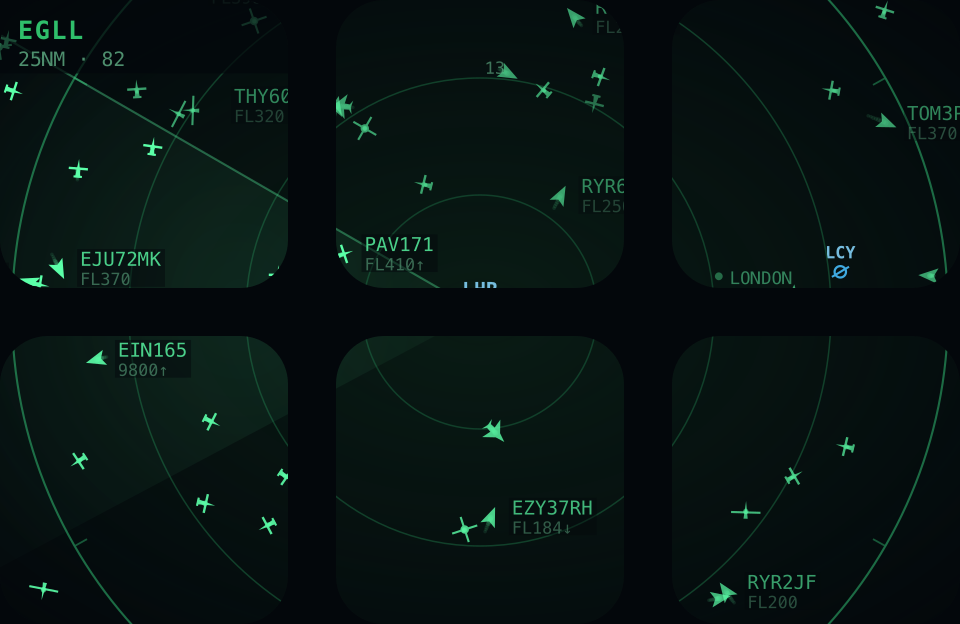
- Airliners and heaviesswept chevrons, wider for four engines
- Light aircraft and glidersstraight wings, and a single long span
- Helicoptersa rotor disc that turns
- Airfieldsringed in blue and labelled with their code
- Conflicttwo above 5,000ft closing inside 5nm and 1,000ft
- Followingthe map sliding under one aircraft you chose
It keeps moving between polls
The feeds are free services run on donations by people with receivers in their lofts, so between them they are asked once every eight seconds and no more. In between, every aircraft is carried forward on its own track, speed and rate of climb at twelve frames a second — and eased onto each new fix rather than snapped to it, so a correction arrives as a slide rather than a twitch.
An aircraft that misses a poll coasts rather than blinking out, because a missed message is not a landing. Nothing is dropped while no data is arriving: a contact is let go when a working feed has had several clear looks at that patch of sky without mentioning it, never because a stopwatch ran out. If nobody is answering, the scope says how old the picture has got and keeps flying what it already knows.
Range, and what it shows you
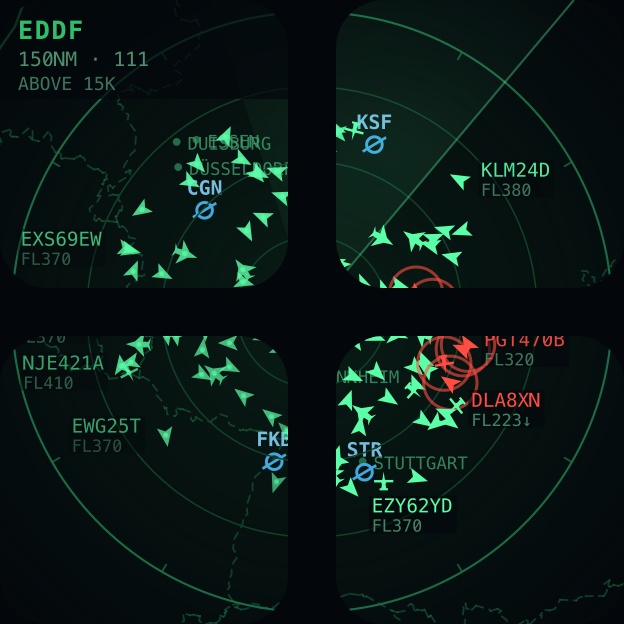
Ten miles to a hundred and fifty, and the level band opens up as you zoom in: at long range you are watching the en-route flow, and at short range you are watching the circuit. Without that, a hundred miles around London is three hundred and fifty aircraft and a solid mat of chevrons.
Point it anywhere
Type an airport code or a city name and the scope moves there — 3,270 airfields are built in, from Heathrow to the strip down the road. Or press one button and it centres on you, worked out from your network address. Or type coordinates, if you know exactly where you want to look.
Where the data comes from
The feeds that make this possible are run on donations by people who fly receivers in their lofts, so the plugin is built to be light on them: one request every eight seconds, alternating between two aggregators so neither is asked for more than half of it, and a single-aircraft request while following rather than the whole area.
Two rather than one is not belt-and-braces. Both services meter by address, and one of them allows roughly a hundred requests a quarter of an hour — which a single scope spends in thirteen minutes, after which it is refused and then ignored outright for several minutes. Alternating keeps both inside their allowance, and when one does go quiet the other answers the next request without the picture noticing.
- Positions adsb.fi
- community ADS-B, asked every other poll
- Positions adsb.lol
- the same, from other receivers, licensed ODbL 1.0
- Routes adsbdb
- queried live for the aircraft you tapped, and never written to disk
- Coastlines Natural Earth
- public domain, simplified and built into the plugin
- Airfields OurAirports
- public domain, 3,270 fields built in
Coverage is whatever volunteers receive: excellent over Europe and North America, thinner over oceans and remote country. Some military and privately-flagged aircraft do not appear at all.
What it doesn't do
No account, no sign-in, no analytics. The only thing that leaves your machine is a request for the patch of sky you are pointed at. The one exception is the location button, which asks a public service what city your address is in — and only when you press it.
It is quiet
No sound, no notifications, nothing to dismiss. It sweeps while you look at it and waits while you do not, so it can sit on the deck between other work without asking for anything.
Requirements
- Stream Deck app
- 7.1 or newer
- Devices
- Any Stream Deck with keys
- Platforms
- macOS 12+ and Windows 10+
- Keys needed
- 2×2 is what the art is drawn for; a single key works, with less sky
- Internet
- Required — the aircraft are live
Version
v1.3.1
Version 1.3 gives every page its own scope: point one page at Frankfurt and the next at Heathrow, and switching pages re-points it. A scope’s settings now live on its keys rather than in one global setting, and your existing location is carried over the first time it appears. Version 1.2 was about a scope that emptied itself. Positions now come from two aggregators in alternation rather than one, so neither runs out of its allowance and a refusal from one is stepped over inside the same poll. Aircraft are no longer aged out on a stopwatch that ran whether or not anything was arriving — a contact is let go when a working feed has looked at that sky several times without mentioning it. An empty answer is not believed when the scope was full a moment earlier, an error page arriving as a 200 is treated as a failure rather than as empty sky, and the header says how old the picture is instead of blinking at a single missed poll.
Support
Something wrong, or an idea for it? Write to us and a human will answer.
- Your Stream Deck app version and operating system
- Which device, and how many keys the scope covers
- Where it was pointed, and at what range
- The plugin log from the de.7bp.overhead.sdPlugin folder