Browser
Your tabs, on your keys.
Forty tabs, each one a sliver too narrow to read. Browser puts them on your Stream Deck instead: every open tab is a key with its icon, its title and its site. Tap one and you are there.
The listing is reserved and this button turns into a link the moment Elgato publishes it.
Or try Browser Lite, free ↓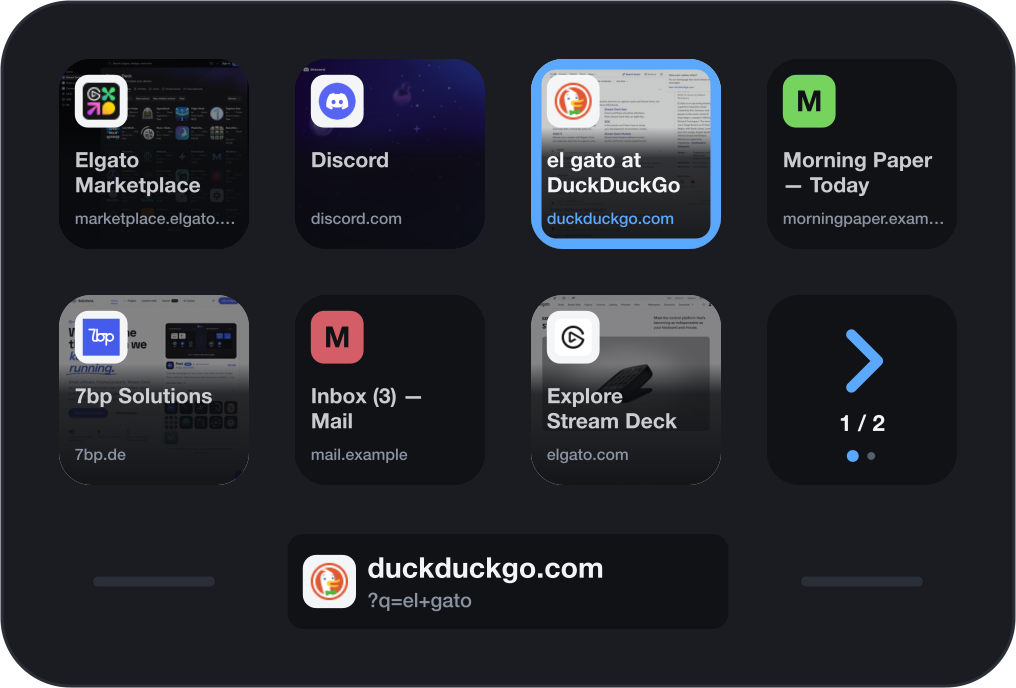
Every tab is a key
Put the Tabs action on as many keys as you like and they fill with what is open in your browser, in order. The tab you are on wears a frame all the way round the key, so you can tell which one it is from any angle, including a deck tilted away from you.
Open a tab, close one or drag one along the strip, and the keys follow within a second or two. Switch to another browser and the keys switch with you.



Tap to switch · Hold to close
Hold to close, and see it coming
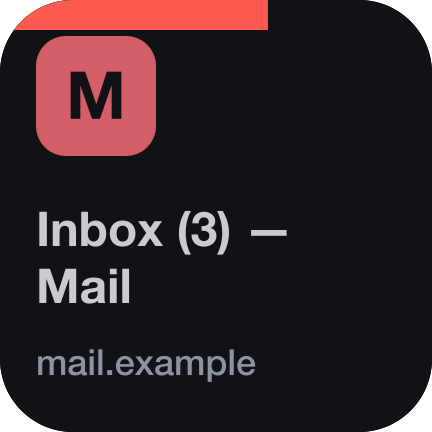
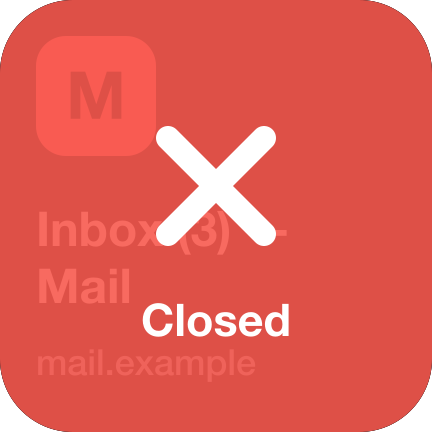
Keep a key pressed and a red bar fills along its top edge. When it is full the tab closes; the key says so and the rest move up. A short tap never closes anything, so a slip of the finger costs you nothing.
Before it closes a tab, Browser checks that the key still shows the page you were looking at. If the tabs moved in the meantime, nothing is closed.
More tabs than keys
The last key of the strip becomes a pager as soon as the tabs do not fit. Tap it to step through the pages. The strip follows the tab you are on by itself, and stays where you paged to until you pick a tab.
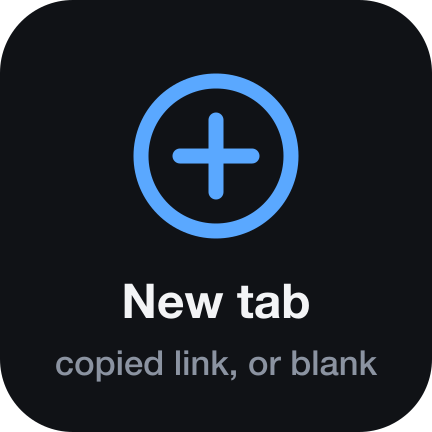
The New tab key opens the link on your clipboard if there is one, and a blank tab if there is not. Hold it for a blank tab either way.
See the page, not just its name
Switch on page previews and each key carries a small picture of its page behind the title: live for the tab in front, and as you last saw it for the others. It is a picture of the browser window only, so nothing in front of it ends up on your keys.
Previews are optional. They need the Screen Recording permission for Stream Deck, and Browser asks for it only if you turn them on. The pictures are taken on your Mac, kept in memory and sent nowhere.


The address, on the Infobar
On a Stream Deck Neo, add the Address bar action to the Infobar and the strip under your keys shows where you are: the site in large type, the rest of the address under it, and the site's icon beside it.

Two versions: free and full
Browser Lite is free and stays free. It shows your first four tabs and switches to them, which is enough to find out whether tabs on keys suit you. Browser is the full plugin. Both can be installed side by side.
| Browser LiteFree | Browser€0.99 | |
|---|---|---|
| Tabs on your keys | The first four | All of them, with pages |
| Tap to switch | Yes | Yes |
| Hold to close | No | Yes |
| New tab key | No | Yes |
| Page previews on the keys | No | Yes |
| Address on the Neo's Infobar | No | Yes |
| Stream Deck app | 7.1 or newer | 7.6 or newer |
Both are on their way to the Elgato Marketplace.
Give your browser a profile of its own
Our suggestion: make a Stream Deck profile just for your browser. In Stream Deck's Preferences, under Profiles, pick the browser as that profile's application. Stream Deck then switches to it by itself whenever the browser comes to the front, so your tabs are on the keys exactly when you are browsing, and your other keys are back when you are not.
It is a suggestion, not a requirement. Tabs works on any profile, page or folder, on one row or the whole deck, beside whatever else you keep there.
The first time
macOS asks once whether Elgato Stream Deck may control your browser. Choose Allow and the tabs appear. Until then the keys tell you what they are waiting for, in words.
- No dialog?
- Quit your browser completely and open it again. macOS then asks. This is the one thing that catches people, and the keys say so when it happens.
- Chose Don't Allow?
- The first key says “Allow access”. Tap it and System Settings opens on the right page: Privacy & Security, Automation, Elgato Stream Deck. Switch your browser on there.
- No browser open?
- Tap a key and Browser starts one for you.
Requirements
- Stream Deck app
- 7.6 or newer
- Platform
- macOS 12 or newer. Not available for Windows.
- Browsers
- Chrome, Safari, Brave, Edge and Vivaldi
- Devices
- Any Stream Deck with keys; the address bar needs a Stream Deck Neo
- Permissions
- Automation for your browser; Screen Recording only for previews
What it doesn't do
No browser extension, no account, no analytics. Browser reads the titles and addresses of your open tabs to draw them, and keeps none of it. The only requests it makes go to the sites you already have open, to fetch their icons. Page previews never leave your Mac.
Version
v1.0.0
First release. Your open tabs on your keys with icon, title and site; tap to switch, hold to close; a pager for more tabs than keys; a New tab key; optional page previews; and the address on the Stream Deck Neo's Infobar.
Support
Keys staying dark, or a browser it should know? Write to us and a human will answer.
- Your Stream Deck app version and macOS version
- Which browser, and its version
- What the first key says
- The plugin log from the de.7bp.browser.sdPlugin folder