PROBE
API requests on keys, with expectations that mean it.
Is the API up, is it right, and is it fast? PROBE asks with the request you would send by hand, judges the answer the way you would, and keeps the token where it belongs.
Or all seven tools in the OPS Suite, €16.99. See the OPS Suite →
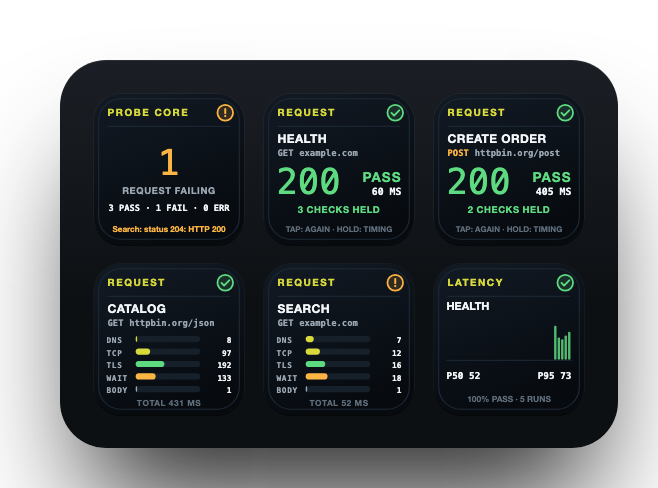
Every key has one job.
Put the ones you need where you need them. Each key draws what it knows, live, in the same language as every other OPS key.
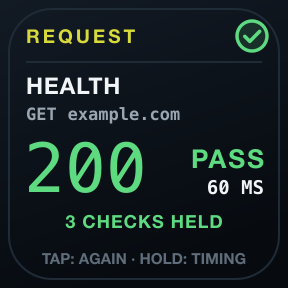
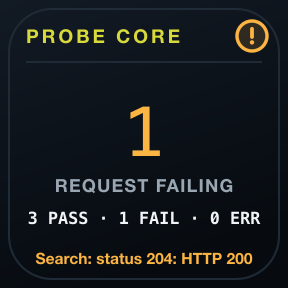
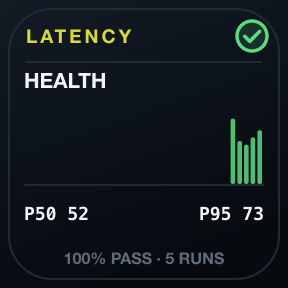
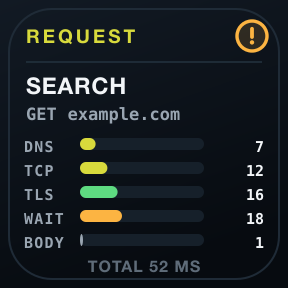
Expectations, judged one by one
Status ranges, text in the body, one JSON check such as data.items[0].id exists, and a time limit. The key says Fail; a hold names the first that failed, and what it saw.
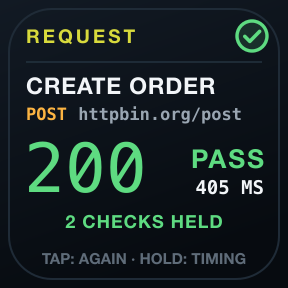
Safe by design
Reads go out on a tap and may repeat. POST, PUT, PATCH and DELETE need a hold, and never repeat or run in bulk.
Secrets in the Keychain
Write {{keychain:service}} in a header. PROBE reads it just before sending and never stores, logs or shows it.
One family, one language, no cloud.
One language
Green healthy, amber attention, red critical, grey unknown: the same header, marks and colours on every key of all seven tools, always with a shape and a word.
Evidence, not optimism
Unknown is never painted green. A launch is not a session, a reachable disk is not a valid backup, an open port is not a working API.
Local and private
No account, no cloud service, no telemetry, no subscription. Checks run from your Mac, and history stays on it.


Requirements
- Stream Deck app
- 7.6 or newer
- macOS
- 12 or newer. OPS is not available for Windows.
- Stream Deck
- Any model with keys. On a Stream Deck Neo, the Infobar too.
- Permissions
- No permission needed. Keychain items are read with Apple's own security tool when a header refers to them.
Privacy
Everything runs on your Mac: checks, history and settings. There is no account, no analytics and no 7bp server in between; the only traffic is the checks you configure.
Version
v1.1.0
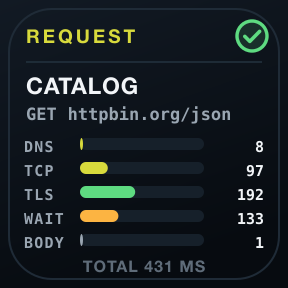
Keys you can read without leaning in: one big number or word, with the facts a tap away. A solid strip with a verb marks a key that does something; every other key watches: tap for the next fact, hold to check now. The Core key is called Status and Latency is called Trend. On both, a hold now sends and a tap shows the next fact. A failed expectation and where the time went are a hold away on the Request key.
Support
Something not as it should be? Write to us and include:
- Your macOS and Stream Deck app versions
- Which key, and what it shows
- What you expected it to show